-
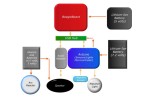
- Iron Man Suit with Tech Block Diagram of JARVUS.

I’m also planning to demo it at my son’s school to show how science/engineering can build, not only this suit, but so many other cool projects.
I’m sure others can leverage BeagleBoard and Arduino for other awesome projects.
Great 3D view of Iron Man used for the overview diagrams.

 LinuxNerd

Hi,
did you solve the communication problem between beagleboard and arduino ?
I’m running the latest openmoko but i’m unable to figure out how i can communicate with the arduino.
On my ‘real’ Computer with Suse everything is ok /dev/ttyUSB0 is created but on the beagleboard nothing.
I checked that brltty is not installed as suggested on http://www.arduino.cc
Hi Jochen,
OpenMoko, very cool phone! And then Arduino, even cooler.
Sorry, I could not solve the communication problem between beagleboard and arduino…yet.
To fix this problem, I need to track down a USB or serial sniffer. I’ll sniff my Ubuntu good connection while running picocomm. Then do exactly the same steps using BeagleBoard while running picocomm. With that I can track it down, maybe, to FTDI’s linux module code + BeagleBoard ARM code. Or maybe instead of a external sniffer, maybe use an existing software sniffer if available on Angstrom/Debian.
That is my long term plan, but I’m getting pulled away with other tasks. 😦
As for short-term workaround, I’ve worked around this communication problem by connecting:
Sensor Activated –> Arduino –> Set a new Pin to HIGH –> physically connect this HIGH Pin to a USB Mouse (middle mouse button) –> Middle Mouse Button in Angstrom Linux/Elightenment17 is set to –> Run script “play-repulsor-mp3.sh”
The above works when a I manually press button via E17 configuration panel for mouse. Now I need to attach wires from mouse middle button back to Arduino via some simple circuit. Then reintegrate in JARVUS enclosure.
Why short term workaround, because then I can take video of my son activating repulsor and getting repulsor sound played via speaker already integrated in suit.
If you execute lsusb on openmoko, does Arduino show up as “FTDI” in the output in OpenMoko command prompt?
can u send me the schamtics for a real life working flying and one that shoots stuff i dont want one just for show i want to know how you could actually build one if u can send me a list of materials and blue prints so i can build one myself
[…] coisas úteis com hardware livre, tudo o que você precisa é de um pouco de imaginação. Esse cara, por exemplo fez uma fantasia de Homem de Ferro para o filho dele, usando apenas software e […]
[…] Iron Man Suit with Tech « LinuxNerdNov 13, 2008 … Iron Man Suit with Tech Block Diagram of JARVUS. picture-2789. The suit was my … Great 3D view of Iron Man used for the overview diagrams. […]
I read this piece of writing fully on the topic of the
resemblance of most up-to-date and earlier technologies, it’s remarkable article.
[…] maar het is nog goed zoeken. Her en der zijn wel projecten te vinden, zoals het maken van je eigen Iron Man Suit. Meer projecten vind je op de site van […]
continuously i used to read smaller content that as well clear their motive, and that is also happening with
this piece of writing which I am reading now.
Hey buddy awesome layout for your content. i really like what you have done keep up the good work.
Generally I do not learn article on blogs, but I would like to say that this write-up very forced me to take a look at and do
it! Your writing taste has been surprised me. Thanks, very nice article.
Hi,
I would lile tto tell you that I’m using this site for a lonjg time and you write good info.
I shared your newset article oon twitter and got a lot of good feedbacks.
Hope you put new content soon.